The rota, off the back of the door.
Build the week and see what it costs against your takings. Your team see their shifts on their own phones, clock in and out, ask for holiday and swap shifts. The hours land ready for payroll. All of it sits inside CollectIt, with your till and your bookings.
Free with every CollectIt plan while it's in beta. No card needed to start.
£15+/month
what a standalone rota app usually costs
Included
with every CollectIt plan while it's in beta
One place
rota, till, bookings and takings in the same system
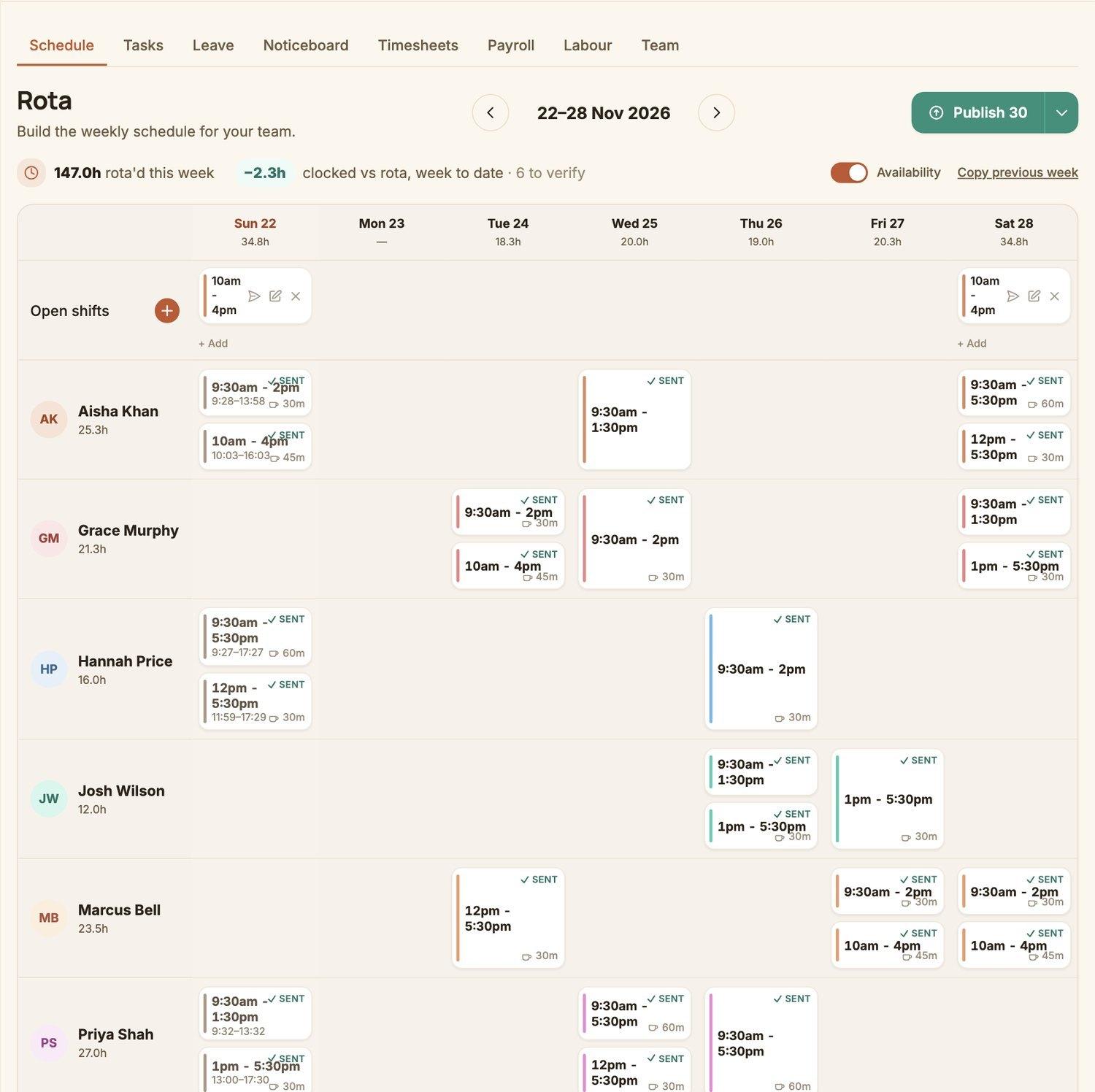
Build the week
A week on one screen, in a few minutes.
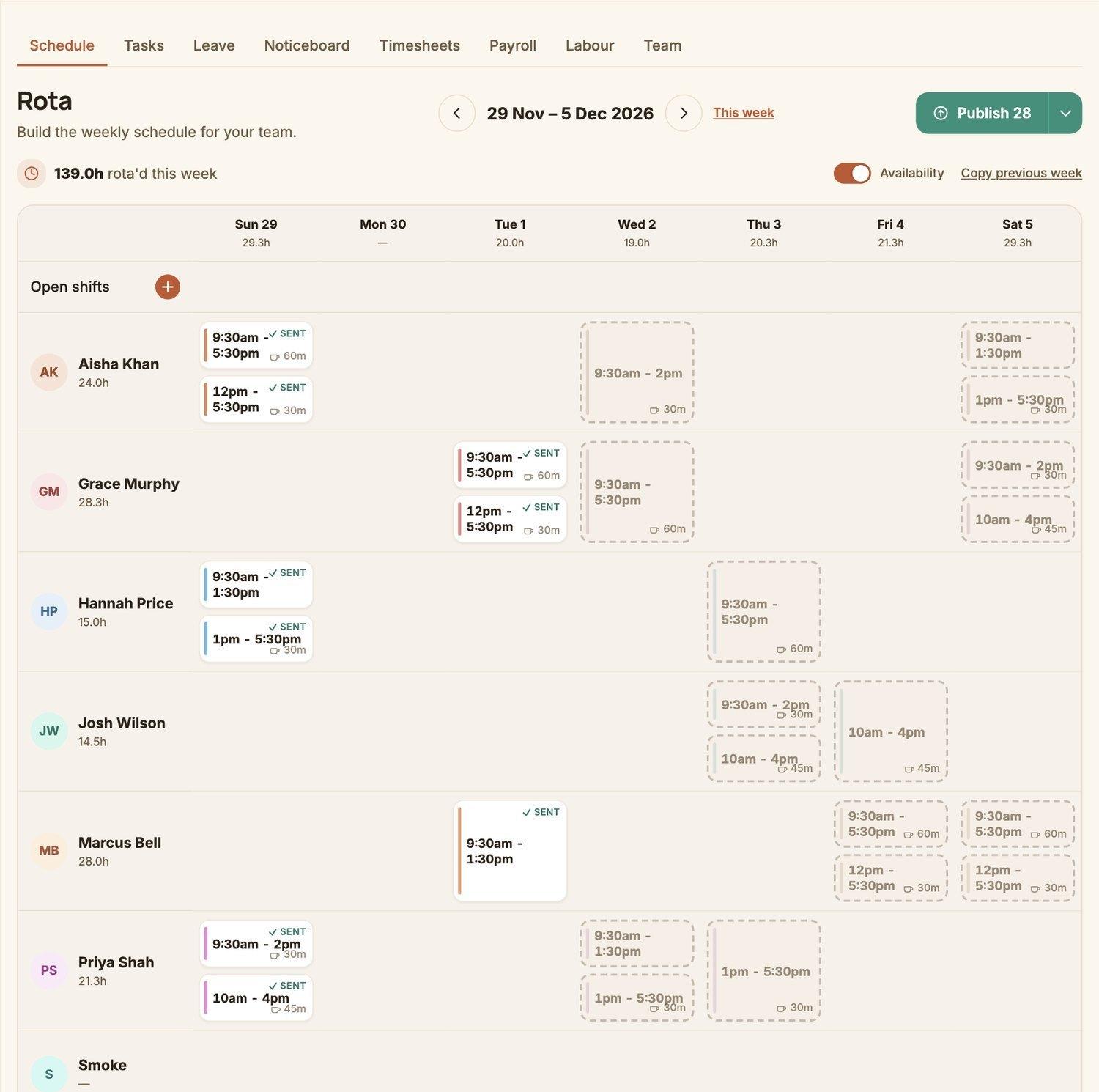
Drag shifts onto the grid, copy last week when it's the same, and leave a shift open for anyone to pick up. Nothing reaches your team until you press Publish.
- ✓Copy the previous week in one click
- ✓Open shifts that your team can offer to take
- ✓Drafts stay private until you publish
- ✓See each person's hours for the week as you go
Wage cost against takings
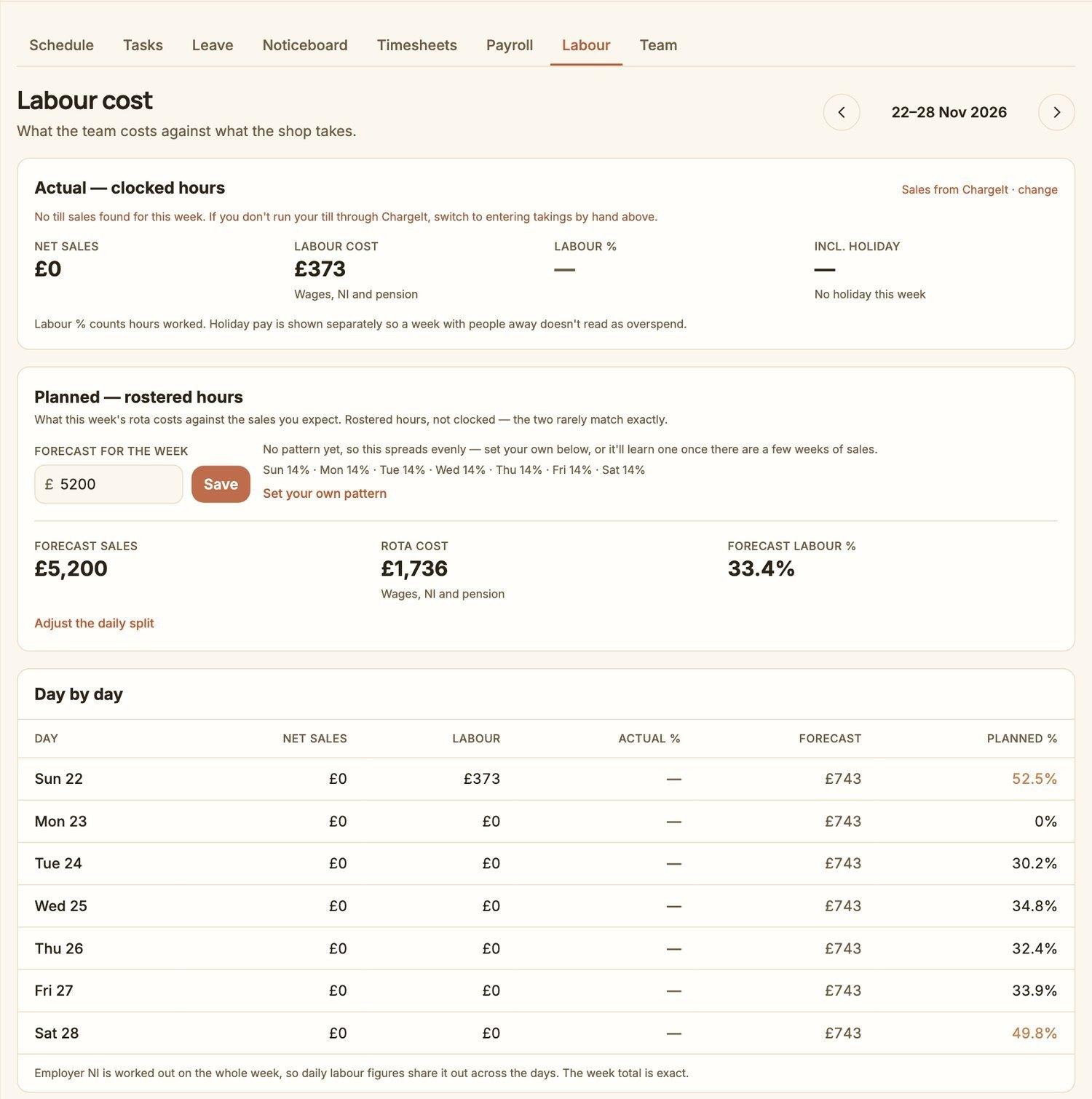
Know what the week costs before it starts.
Put in what you expect to take and the rota shows its cost as a share of that, day by day, so you spot the quiet Monday that's overstaffed and the Saturday that isn't. Once the week has run, it compares against what your till actually took.
- ✓Forecast labour % for the whole week
- ✓Day-by-day planned cost against expected sales
- ✓Wages, NI and pension counted, not just wages
- ✓Takings come straight from your CollectIt till
Hours ready for payroll
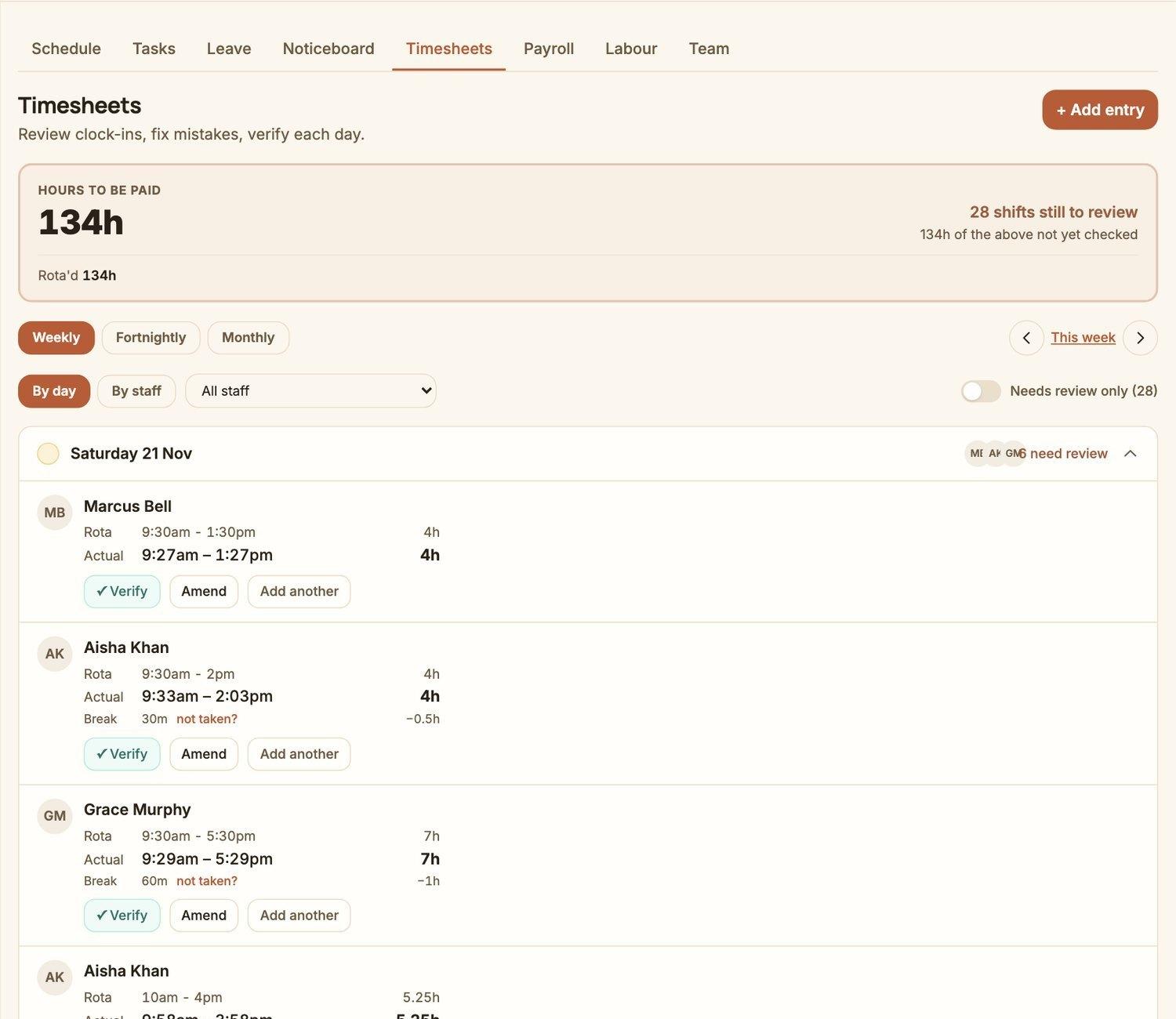
Clock-ins that match the rota, checked in a click.
Your team clock in and out from their phones. You see what was rostered next to what was actually worked, verify it, amend a mistake or add a missed entry, and the totals are ready for payroll.
- ✓Rota against actual, side by side, for every shift
- ✓Verify, amend or add an entry in one tap
- ✓Breaks handled the way you actually pay them
- ✓Copy for a spreadsheet or download a CSV
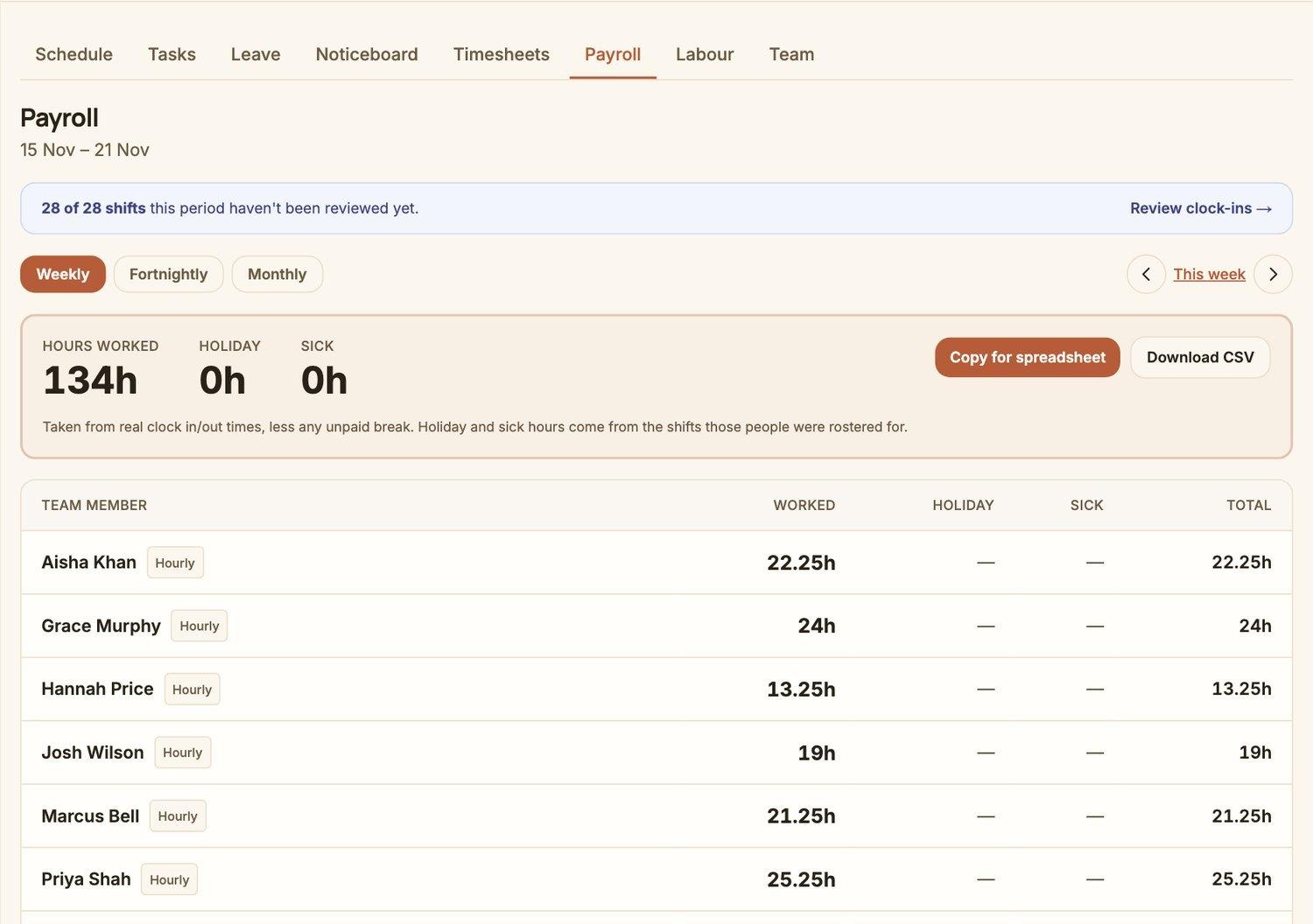
Payroll
One screen for who to pay, and for how many hours.
Choose a week, a fortnight or a month and see each person's hours worked, holiday and sick days, with a total. Hand it to your accountant or paste it into your payroll.
- ✓Weekly, fortnightly or monthly pay periods
- ✓Hours worked, holiday and sick shown separately
- ✓A warning if shifts in the period haven't been reviewed
- ✓Download a CSV or copy straight to a spreadsheet
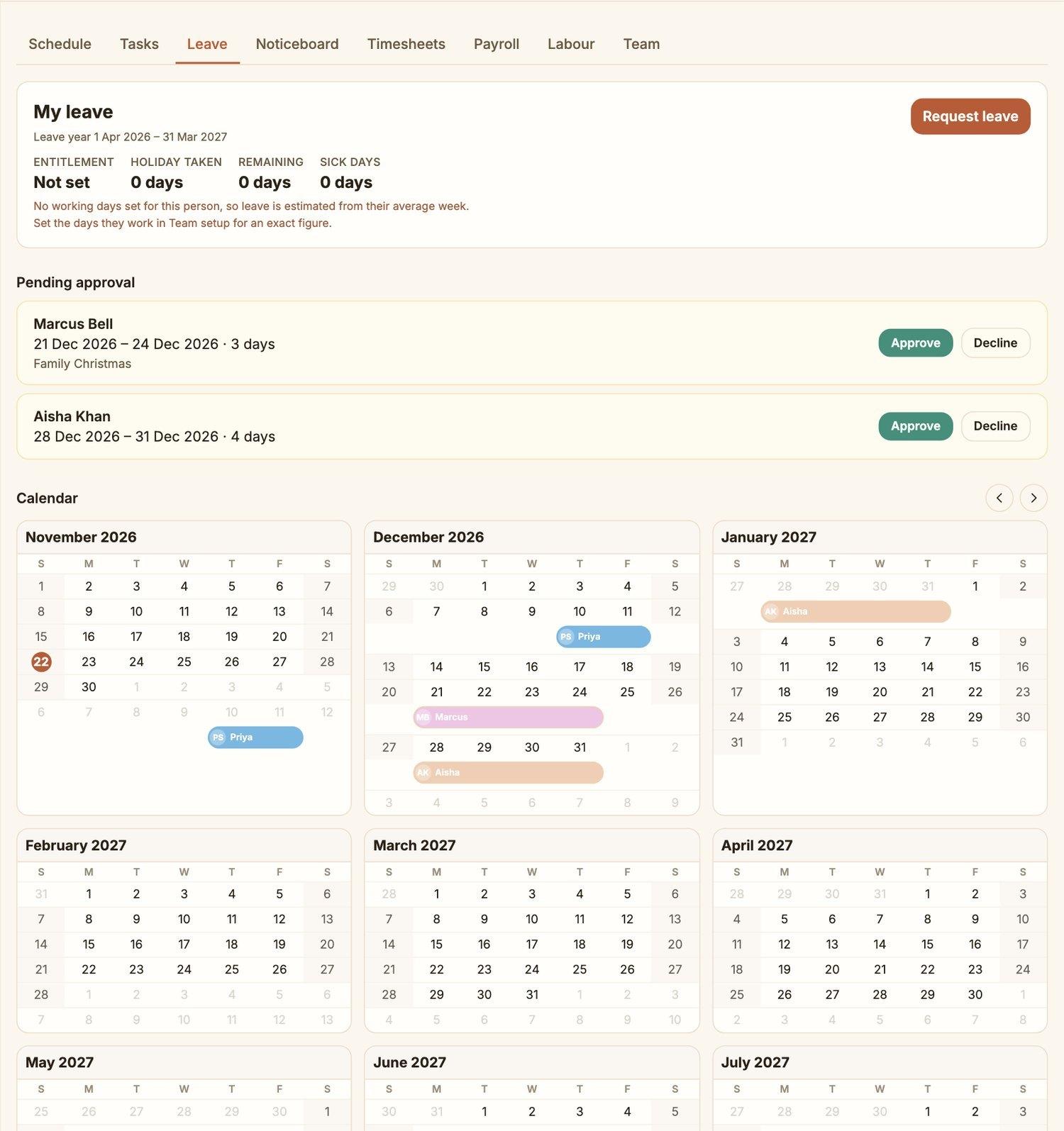
Holiday that adds up
Requests, approvals and a calendar everyone can trust.
Your team ask for time off from their phones and you approve or decline in a tap. The calendar shows who's away and when, and entitlement is accrued properly for people on irregular hours, instead of guessed at in a spreadsheet.
- ✓Pending requests waiting for you, with one-tap Approve
- ✓A three-month calendar of who's away
- ✓Entitlement worked out for irregular and part-time hours
- ✓Sick days recorded alongside holiday
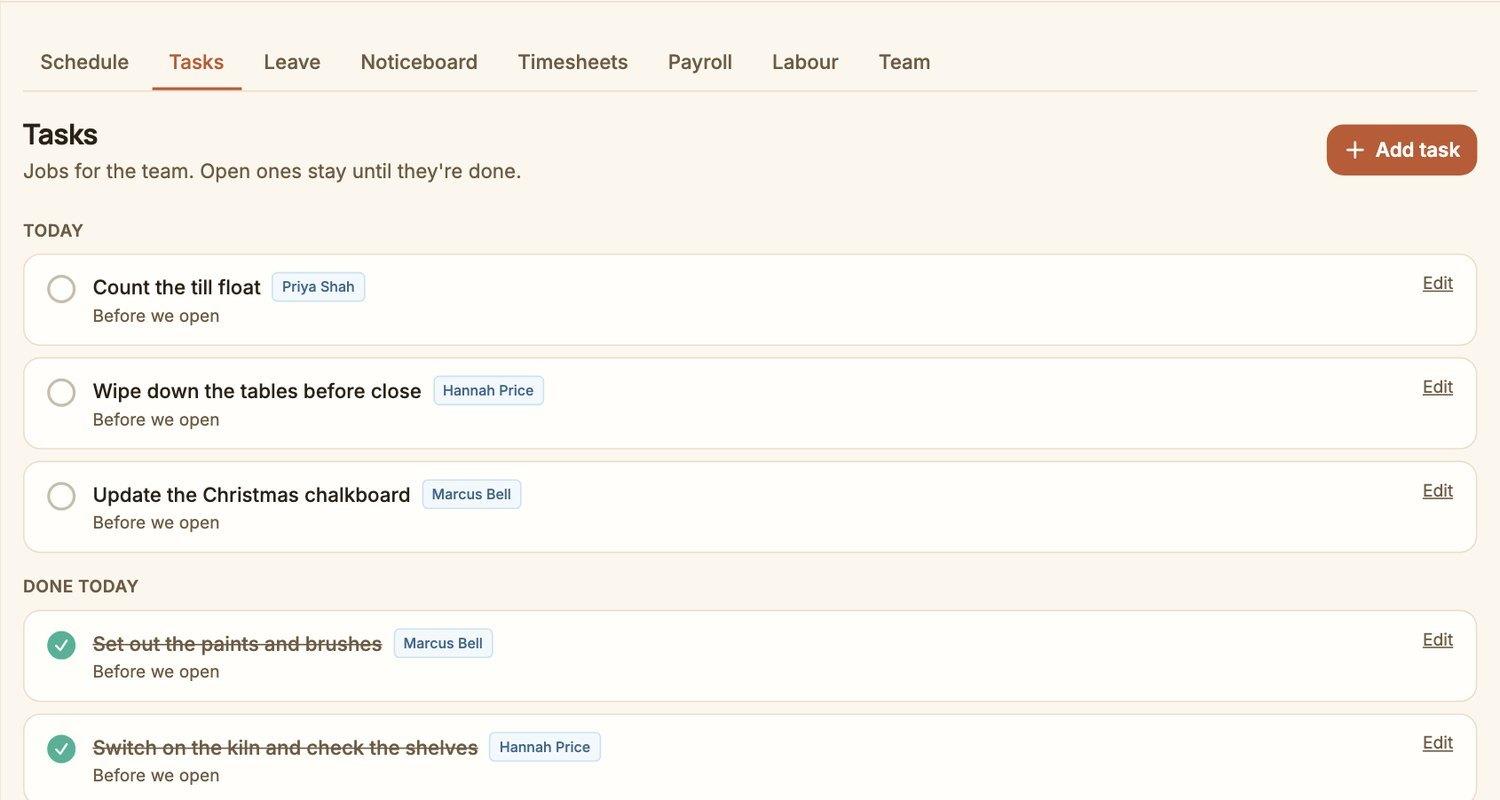
Tasks and notices
The opening checklist and the note everyone needs to read.
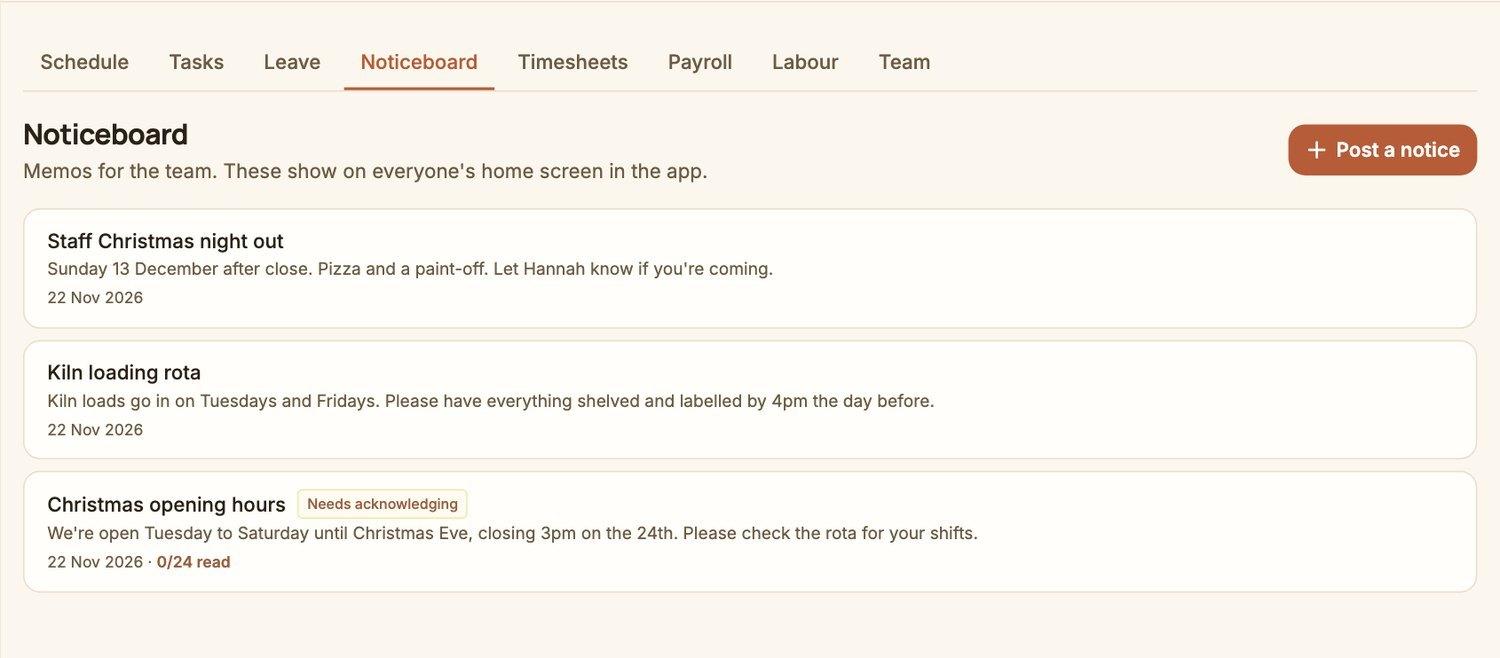
Give people jobs for the day and tick them off, and post notices that show on everyone's home screen. For the ones that matter, require a tap to say it's been read, and see who hasn't.
- ✓Daily tasks assigned to a person, ticked off as they go
- ✓Notices on every home screen in the app
- ✓'Needs acknowledging' so nothing important is missed
- ✓Photos and files can be attached
On your team's phones
Instead of a photo of a printout in a group chat.
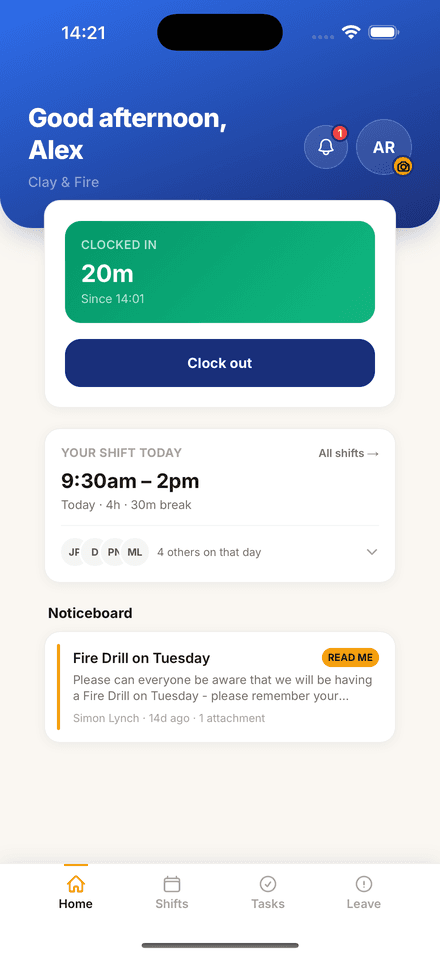
Your team get a free app for iPhone and Android. They see their shifts and who else is working, clock in and out when they arrive and leave, request holiday, offer a shift to a colleague, and read the noticeboard.
- ✓Their shifts, always up to date
- ✓Clock in and out with one tap
- ✓Ask for holiday and see the answer
- ✓Swap shifts between themselves, with your approval


Built into the rest of your studio.
A separate rota app doesn't know your takings, so it can't tell you what a shift costs against them. In CollectIt the rota, the till, the bookings and the reports are one system, so the numbers agree and there's nothing to re-type.
Free with every plan while it's in beta
Try it with your own team
StaffIt is included while we finish building it. It's still changing, so tell us what's missing. That's the point of a beta.
Start free trialRun a pub, cafe or salon instead? StaffIt works on its own too.